TLDR
- Inputs are photos, not vibes: one clear person image + sharp garment product shots (up to six references per run on SupaImagine).
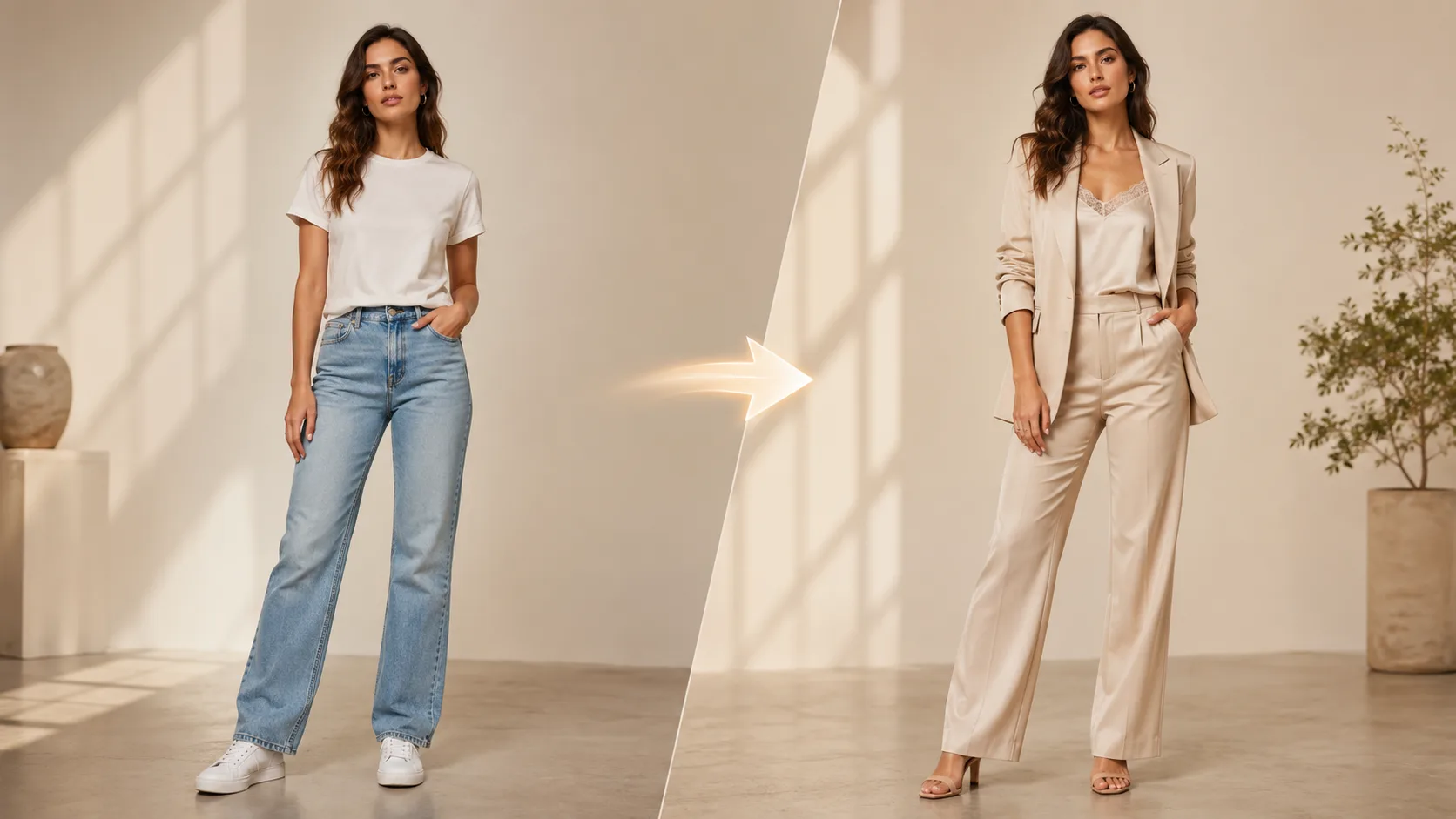
- Job = virtual try-on: keep face / pose / body readable while the outfit changes—then review sleeves, logos, and fabric before you spend.
- Ads are a second phase: crop for placement, optionally remove background or upscale, then image-to-video for 4–15s tests—not budget bidding or URL-to-campaign.
- Hard no’s: this is not a free-text clothing concept factory, not a size recommender, and not Meta/TikTok Ads Manager.
Key Takeaways
- Try here: AI Clothes Changer is live on SupaImagine as a dedicated tool page for virtual try-on (person + garments → redressed still).
- Input contract: product copy and generator UX expect a clear full or three-quarter person plus one to six garment references (product shots or flat lays)—not a pile of wrinkled clothes or a multi-item collage.
- Identity goal: the page positions face, pose, and body as the anchor; always review faces after generation.
- Credits (product fact): the on-site FAQ states 3 credits per try-on, with signup credits usable for first runs (account required; not a free-daily unlimited claim).
- Channel phase: follow current creative guidance from Meta’s Ads Guide / image ads guide and TikTok Ads creative best practices—pixel sizes change; do not hardcode yesterday’s numbers into policy.
- Adjacent tools on-site: background remover, image upscaler, and video lanes such as Seedance 2 for short motion tests after the still is locked.
What “clothing ad creative” means here
| Intent | What you want | Right path on SupaImagine | Wrong path | | --- | --- | --- | --- | | Virtual try-on for ads | This jacket on your model photo | Clothes changer | Text-only “design me a hoodie” | | Listing / lookbook still | Clean product-on-person for PDP or UGC | Try-on → optional background remover | Claiming AR size fit | | Short social ad | 4–15s motion from a keeper still | Locked still → video generator | Auto-optimizing ROAS | | Fashion concept art | Invented silhouettes from prompts | Separate image models / design tools (not this tool’s job) | Pretending try-on is concept CAD |
If your search was really “AI clothing generator / hoodie designer” as free-form design, stop and re-scope: those queries often mean concept design, not try-on. SupaImagine’s clothes changer is explicit: person photo + garment photos, one-click try-on, not a 3D fitting room.
Pipeline (honest 5 stages)
Stage 0 — Brief the test (5 minutes)
Write four lines before you open any generator:
- SKU: which garment(s) must stay faithful (colorway, logo placement).
- Person: who must stay recognizable (founder, house model, UGC creator).
- Placement: feed, story/reel, shop tile—so you know crop risk early (Meta Ads Guide, TikTok creative best practices).
- Claim: what the ad is allowed to say (sale, new drop, restock)—keep copy out of the try-on step unless you add text later on purpose.
Stage 1 — Capture inputs that survive transfer
Person photo checklist
- Full body or three-quarter; face and hands readable.
- Even light; avoid heavy occlusion (huge bags, crossed arms hiding the torso).
- Neutral or simple background helps later cutouts.
Garment photo checklist
- One garment per frame when possible; flat lay or clean product shot.
- Logos and prints large enough to read after warp.
- Skip multi-item collages and dark, crumpled piles—the product page warns these confuse transfer.
Stage 2 — Run the virtual try-on
Open the AI Clothes Changer generator:
- Upload the person image.
- Upload one to six garment references for the outfit you want on that person.
- Generate, then inspect: face identity, sleeve length, neckline, fabric read, logo integrity.
- Re-run with cleaner garment photos if the piece is muddy—do not “fix it in post” with hopes alone.
This is the only stage that changes clothes. Everything after is finishing for ads.
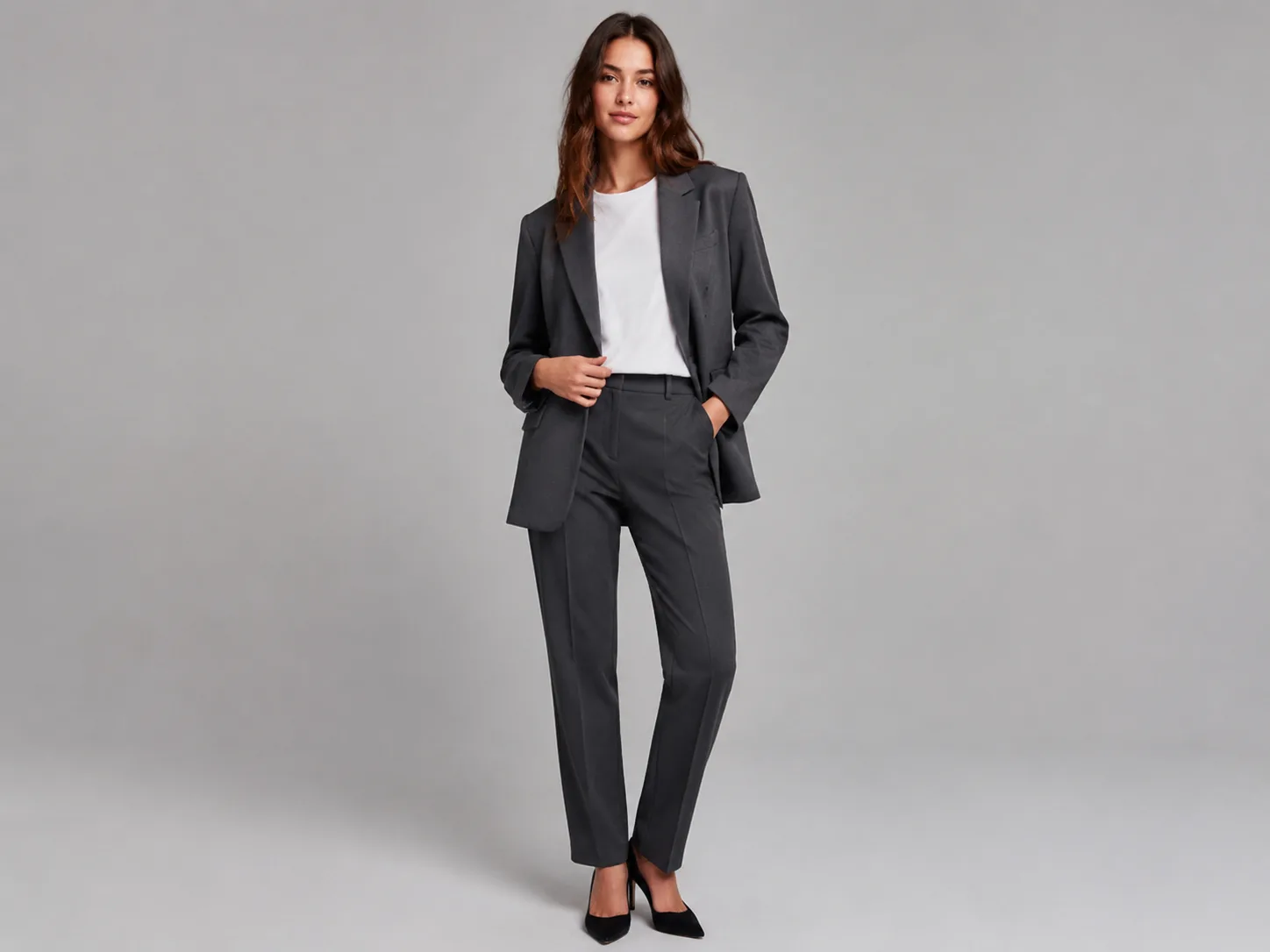
Stage 3 — Finish the still for the channel
| Need | Tool on SupaImagine | When | | --- | --- | --- | | Transparent / solid catalog BG | Background remover | Shop tiles, white-bg retargeting | | Sharper export after crop | Image upscaler | Soft phone captures, heavy crop | | Headline / price badge later | Text tools or design app | After the outfit is locked—do not fight unreadable micro type in try-on |
Always re-check safe margins against the live platform guide before you upload (Meta image ads guide). Do not trust a 2024 screenshot of pixel tables—placements change.
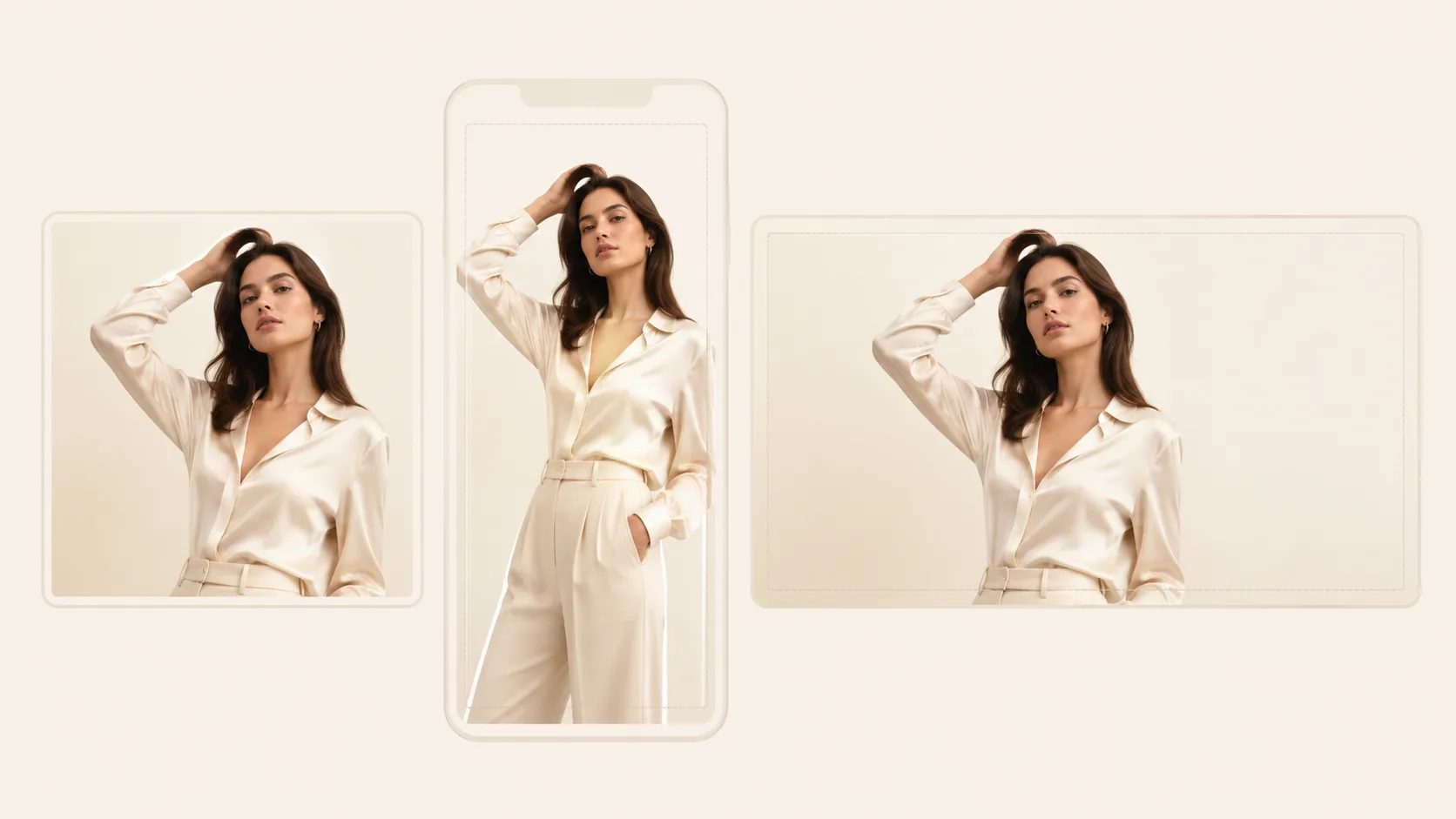
Stage 4 — Optional short video for social tests
When a still is a keeper, promote it to a short motion test on SupaImagine’s video stack (for example Seedance 2): image-to-video with a short, concrete motion brief. Keep clips test-length, not feature films. Platform creative guidance still applies for sound-on vertical habits (TikTok creative best practices).
Copy-paste motion briefs (image-to-video; attach the try-on still as the start frame):
Slow push-in on a standing model wearing the product jacket, soft studio light,
fabric micro-movement only, camera steady, 5 seconds, no text overlays, no logo morph.
Gentle side-to-side sway, full-body crop for vertical social, keep face identity stable,
subtle hem movement on the dress, clean gray backdrop, 6 seconds, no on-screen captions.Product-hero energy: model holds a half-turn so the print on the tee stays readable,
soft key light, no camera shake, 4 seconds, stop before any zoom into the face.Stage 5 — What you still do outside SupaImagine
- Audience, bid, pixel, catalog feed: Ads Manager / TikTok Ads—not this site.
- Legal / disclosure: AI-generated or composite creatives may need clear policies for your market and platform; review platform ad policies yourself.
- Size charts and fit guarantees: virtual try-on is visual, not a measurement engine.
Failure boundaries (read before you spend)
| Failure | Why it happens | Fix | | --- | --- | --- | | Face drift | Extreme angle, sunglasses, motion blur | Straighter portrait, better light | | Logo mush | Tiny print on garment ref | Larger, sharper garment crop | | Wrong garment prioritized | Multi-item collage | One SKU per garment image | | “Looks AI” skin | Over-smoothed source or bad transfer | Cleaner inputs; re-run; do not ship | | Crop cuts the product | Designed for 1:1 then forced to 9:16 | Generate with placement crop in mind | | Expecting concept fashion | Used try-on as text-to-design | Use a generative image model for concepts; keep try-on for real SKUs |
What We Know vs. What We Don’t
What we know
- SupaImagine’s AI Clothes Changer is positioned as virtual try-on: person + garment uploads → redressed still; not a live AR fitting room.
- Product guidance on that page: 1–6 garments, identity-first, commercial use on paid plans, signup credits for early trials at 3 credits / run.
- “AI clothing ads” work best as workflow + channels, not as a single model name—plan inputs and placements before you generate.
- Meta and TikTok publish official creative / format guidance you should re-check at upload time (Meta Ads Guide, TikTok creative best practices).
What we don’t know (or must qualify)
- Exact pixel / MB limits for every placement on the day you ship—always read the live guide.
- Whether a given try-on will be policy-safe for every ad account (claims, body image, brand IP).
- Fit accuracy (will this size fit this body)—out of scope for a still generator.
- Third-party “clothing generator” quality claims—out of scope; this guide only splits intents, not ranks tools.
How to evaluate on SupaImagine (3 steps)
- Open the AI Clothes Changer and upload one real person photo + one real product garment.
- Score the output on a sticky note: face keep (Y/N), logo keep (Y/N), sleeve truth (Y/N), ship-ready (Y/N). Fail any → fix inputs, do not crop harder.
- Promote only ship-ready stills into background remover / upscaler / Seedance 2 for channel packs.
Checklist card (print or paste)
[ ] Person: face + torso readable
[ ] Garment: one SKU, sharp print
[ ] Try-on: identity pass
[ ] Placement crop planned (feed / story / shop)
[ ] No unproven size or medical claim in ad copy
[ ] Motion brief only if still is a keeper
[ ] Final QA in Ads Manager preview, not only on laptop full-screen
FAQ
Is this the same as an “AI clothing generator”?
Usually no. In search results, “clothing generator” often means prompt-first concept design. SupaImagine’s clothes changer is try-on: real person photo + real garment photos.
Do I need a person photo and a garment photo every time?
Yes for this tool’s core path. Without a person anchor you are not doing virtual try-on. Without a garment reference the model has no SKU truth to follow (product page).
Can I design a brand-new hoodie from text only?
Not with the clothes changer. Use a general image model for concept exploration, then come back here when you have a physical or flat-lay reference to put on a person.
How many garments can I combine?
The product page states one to six garment images per run—enough for a layered outfit or multiple views of one piece.
Will the face always stay perfect?
Best-effort. Clear, well-lit portraits hold better. Extreme angles and occlusion can drift—always review faces before ads spend.
Is this a free AR fitting room?
No. You upload photos and get a new still. There is no live camera mirror and no size recommendation engine.
How much does one try-on cost in credits?
The on-site FAQ states 3 credits per run, with signup credits covering several first experiments. Confirm the live pricing UI when you generate; this article does not maintain a price table.
Can I use results in paid ads commercially?
Commercial use is described as available on paid plans on the product page—confirm your plan before client or paid campaigns.
Where do Meta/TikTok pixel sizes live?
In the platform’s current guides, not in this blog. Start from Meta’s Ads Guide and TikTok creative best practices.
Does SupaImagine run my ads or optimize ROAS?
No. SupaImagine helps you make the creatives. Bidding, audiences, and reporting stay in the ad platforms.
What should I do after a good try-on still?
Finish for the placement (background remover, upscaler), then optionally turn the keeper into a short test clip on Seedance 2.