TLDR
Nano Banana 2 Lite is Google’s fastest and cheapest Gemini image model, engineered for velocity and scale. Official docs say it is not optimized for multiple reference inputs or multi-turn sequential editing, and the Flash Lite path is 1K-only on the Gemini API surface (image generation guide). Nano Banana Pro is the premium choice for the most complex visual tasks: highest world-knowledge framing, advanced localization, brand consistency, and precision creative control (Pro model card, DeepMind Pro page). Use 2 Lite to explore; use Pro when the still must survive a zoom, a poster crop, or a client review.
Key Takeaways
- Pro ships as Gemini 3 Pro Image (
gemini-3-pro-image), introduced November 20, 2025 as Google’s state-of-the-art image generation and editing model built on Gemini 3 Pro (Google Blog). - 2 Lite ships as Gemini 3.1 Flash Lite Image (
gemini-3.1-flash-lite-image), generally available around June 30, 2026, framed for rapid ideation and high-velocity pipelines (Google Blog, Cloud Blog). - Google’s family table is explicit: 2 Lite = fastest/cheapest; 2 = versatile workhorse with 4K and stronger multi-reference story; Pro = premium complex tasks; legacy Banana should migrate toward 2 Lite (image generation docs).
- Resolution is not the same ladder: docs state Gemini 3 image models can do 1K/2K/4K in general, but Gemini 3.1 Flash Lite Image only supports 1K (same guide). That maps cleanly to SupaImagine’s product split: Lite stays a fixed 1K draft lane; Pro is the finish lane with higher resolution options on the Pro page.
- Search grounding and “thinking” appear in Gemini 3 image docs as Pro/Flash strengths; 2 Lite does not support Grounding with Google Search in the official feature matrix (image generation docs).
- On SupaImagine you can open dedicated generators for Nano Banana Pro and Nano Banana 2 Lite without wiring API keys yourself.
Head-to-head: what official sources actually claim
| Dimension | Nano Banana 2 Lite | Nano Banana Pro | Practical takeaway |
| --- | --- | --- | --- |
| Official model name | Gemini 3.1 Flash Lite Image (gemini-3.1-flash-lite-image) | Gemini 3 Pro Image (gemini-3-pro-image) | Different IDs — not aliases |
| Role in family | Fastest / cheapest; velocity and scale (docs) | Premium complex visual tasks (Pro card) | Draft vs finish |
| Public launch signal | GA framing Jun 30, 2026 (Cloud) | Intro Nov 20, 2025 (Google Blog) | Pro is the older flagship name; 2 Lite is the new speed SKU |
| Resolution (Gemini API docs) | 1K only for Flash Lite Image | Built for high-res production; Pro docs stress studio-quality control (DeepMind) | Do not expect 4K keepers from the Lite lane |
| Multi-reference / multi-turn | Not optimized for multiple refs or multi-turn sequential editing (docs) | Positioned for complex multi-turn creation and professional control | Lite for single-pass ideas; Pro when iteration depth matters |
| Search grounding | Not supported on Flash Lite Image (docs) | Search grounding supported on Pro’s capability set (Pro card) | Knowledge-heavy live scenes: prefer Pro (or Flash 2), not 2 Lite |
| Stated best jobs | Rapid ideation, high-volume developer pipelines (June 30 post) | Complex graphic design, high-fidelity product mockups, factual data visuals (Pro card) | Match the job, not the nickname |
| On SupaImagine | Fixed 1K draft / edit lane on the 2 Lite page | Photoreal / higher-res finish narrative on the Pro page | Two generators, one decision |
Honesty note: Google product surfaces (Gemini app, AI Studio, Vertex) may expose toggles, free-tier rules, or UI controls that are not identical on every host. When you run either model on SupaImagine, you are evaluating generation and edit quality in this workspace — not automatically claiming every AI Studio feature is wired 1:1.
Family map: four nicknames, two jobs for this post
| Nickname | Gemini ID (official docs) | Job on a marketing team |
| --- | --- | --- |
| Nano Banana 2 Lite | gemini-3.1-flash-lite-image | Many cheap 1K directions |
| Nano Banana 2 | gemini-3.1-flash-image | Balanced Flash quality, multi-subject / multi-ref story (docs) |
| Nano Banana Pro | gemini-3-pro-image | Flagship stills, dense layouts, polish |
| Nano Banana (legacy) | gemini-2.5-flash-image | Older Flash path; Google recommends migrating toward 2 Lite (docs) |
This article’s primary split is Pro vs 2 Lite — the two poles of finish quality vs draft speed. Nano Banana 2 sits between them as the generalist; classic Nano Banana remains the legacy prompt-edit lane. Use those pages when the brief is “Flash all-rounder” or “simple photo edit,” not when you are choosing draft credits vs Pro polish.
AI Studio’s model table also lists the family side by side for inputs and resolution bands (AI Studio Nano Banana) — useful as a second official map, still host-dependent in the UI.
Scenario winners
1. Product stills, ads, and anything that must hold at large size → Pro
Google positions Pro for high-fidelity product mockups, complex graphic design, and professional-grade control (Pro model card, DeepMind Pro). If the file might go to a PDP, a paid social unit, or print-adjacent display, start on the Nano Banana Pro generator. On SupaImagine, treat higher resolution as a finish step after the composition works — not as the first burn of a vague prompt.
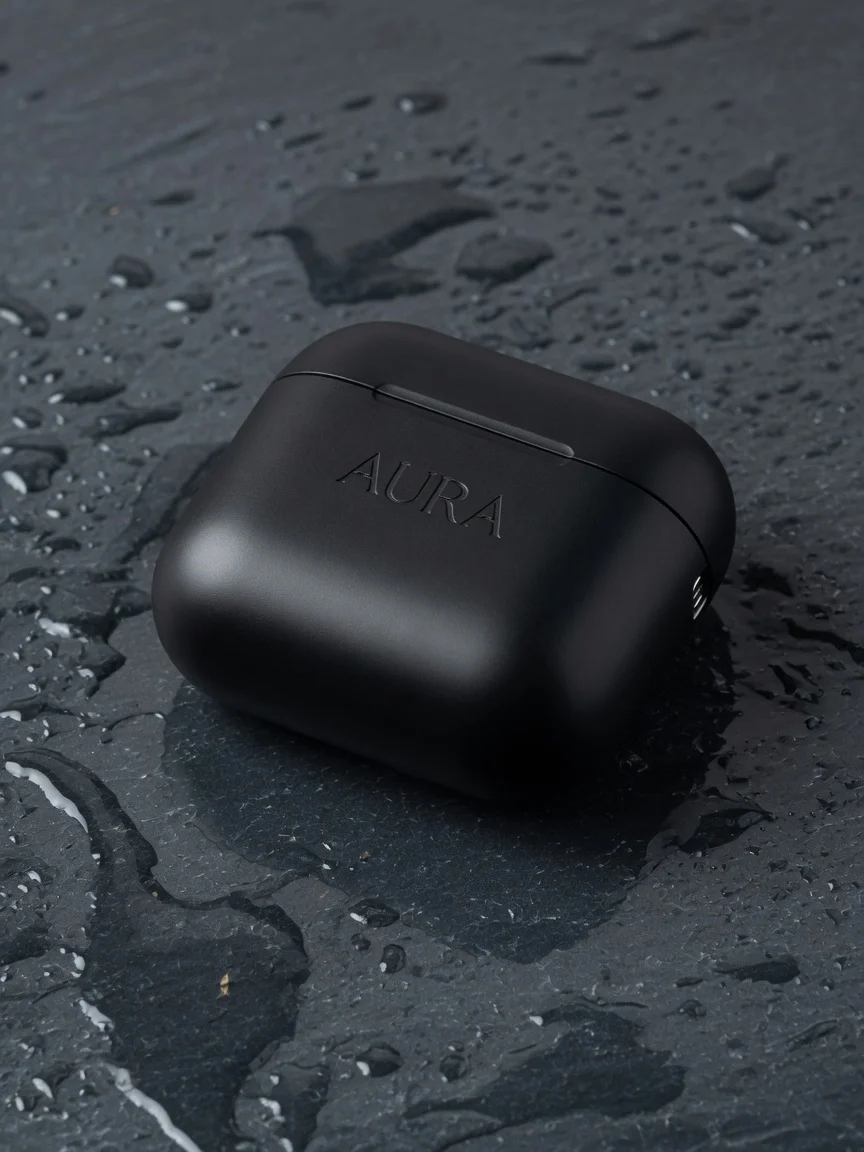
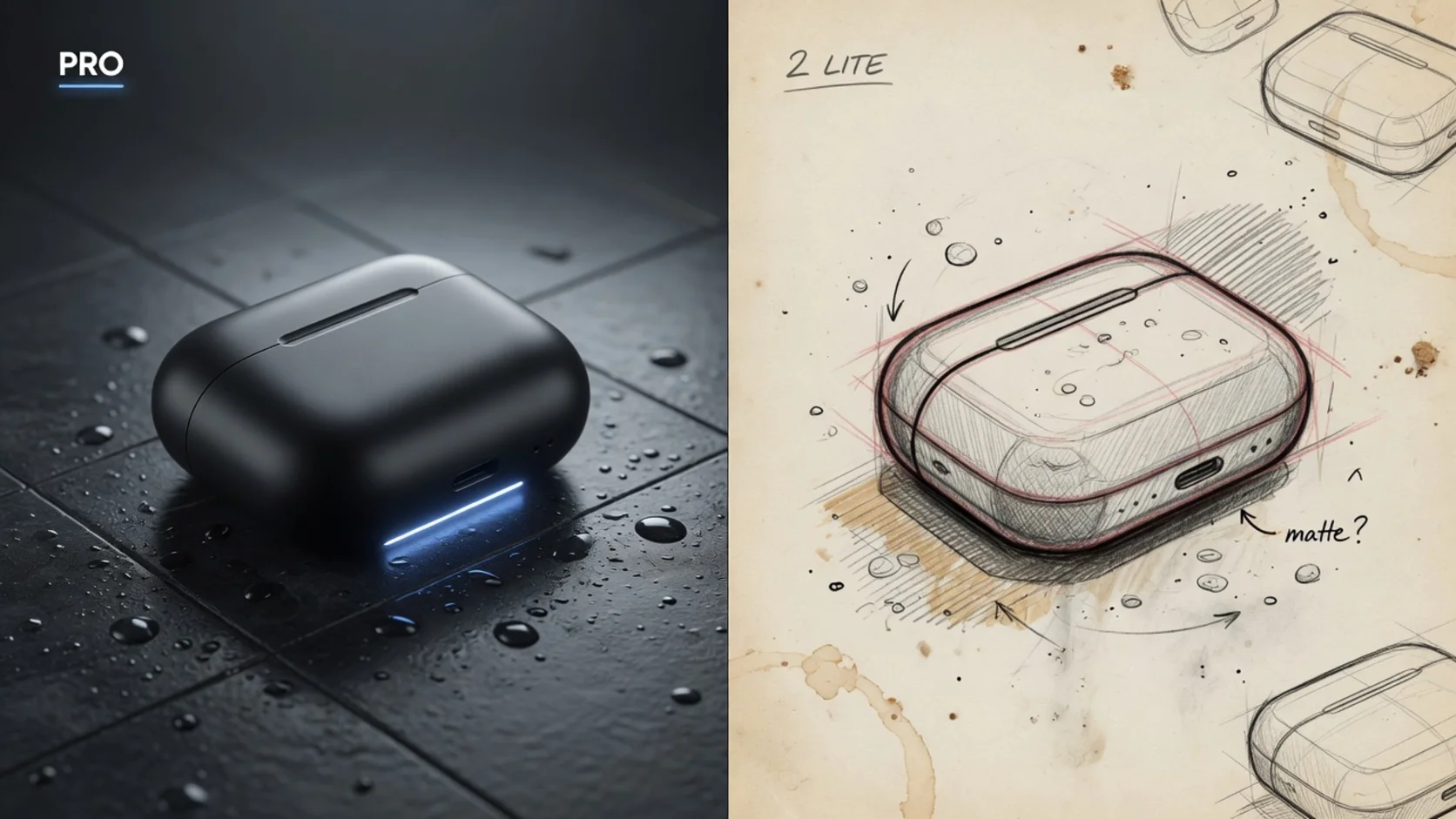
Illustrative product-hero frame for the evaluate kit. Generate your own Pro vs 2 Lite pair on SupaImagine with the copy-paste prompts below — that A/B is the decision tool.
2. Thumbnails, concept fan-out, and “show me five directions” → 2 Lite
Google’s June 30 framing is blunt: 2 Lite is for rapid ideation and pipelines where speed and cost dominate (announcement). The API docs reinforce a 1K-only Lite ceiling (image generation). That is a feature for exploration: open Nano Banana 2 Lite, burn cheap loops, and only promote winners.
3. Two-pass pipeline (recommended default) → Lite then Pro
- Lock subject, lighting, and crop on 2 Lite at 1K.
- Copy the winning prompt (and reference still if you use one).
- Re-run on Pro for the export you would actually ship.
That pipeline matches how Google describes the family — velocity SKU vs premium SKU — without pretending one model does both jobs equally well.
4. Live facts, weather-style charts, “what just shipped” visuals → not 2 Lite first
Official docs call out Grounding with Google Search for Gemini 3 image models that support it, and state Flash Lite Image does not (image generation guide). For knowledge-grounded stills, prefer Pro (or Nano Banana 2 when you need Flash balance). Always treat grounding availability as surface-dependent when you leave first-party Google products.
What We Know vs. What We Don’t
What we know
- Pro and 2 Lite are separate public models with separate IDs and roles (family list).
- Pro launched publicly as Nano Banana Pro / Gemini 3 Pro Image on Nov 20, 2025 (Google Blog).
- 2 Lite’s GA / availability narrative clusters around Jun 30, 2026 (Cloud Blog).
- Docs state Flash Lite Image is 1K-only and not optimized for multi-ref / multi-turn sequential editing (image generation).
- Pro is explicitly marketed for studio-quality precision, complex design, and professional control (DeepMind, Pro card).
- SupaImagine exposes both as dedicated image pages with on-site generators.
What we don’t know (or must qualify)
- Exact latency on every host: Cloud posts cite very fast Lite generation in Google’s environment (Cloud Blog) — that is not a SupaImagine SLA.
- Whether every Google-only tool (search grounding, thinking images, AI Studio toggles) is identical on third-party hosts. Judge what you can actually run in the UI you open.
- Independent, open-method head-to-head leaderboards for Pro vs 2 Lite. Model cards publish vendor benchmarks (Flash Lite model card); treat them as signals, not gospel.
- Credit math across resellers. This article does not compare
$/imageacross APIs — that pushes shopping, not shipping. On SupaImagine, use the on-page credit labels as product facts only.
How to evaluate them yourself on SupaImagine
Skip abstract rankings. Run a fixed three-prompt kit on both lanes and keep outputs side by side.
Prompt kit (copy as-is, then swap brand names)
1. Product hero (favor Pro)
Studio product photo of a matte black wireless earbud case on wet slate, soft top light, faint embossed monogram "AURA" on the lid, premium e-commerce look, sharp material detail, 3:4 social crop, no clutter.2. One-shot local edit (favor whichever survives identity)
Edit this product photo: change only the case color to warm sand beige, keep logo emboss, lighting, and background identical, photoreal, no extra objects.(Upload the same reference still to both models when your workflow supports image+text.)
3. Dense poster / short in-image text (favor Pro)
Vertical 4:5 launch poster, bold headline "SHIP FASTER", subhead "One workspace for every image model", three short feature bullets, clean Swiss layout, navy and warm white, legible sans-serif type, space for a logo top-left.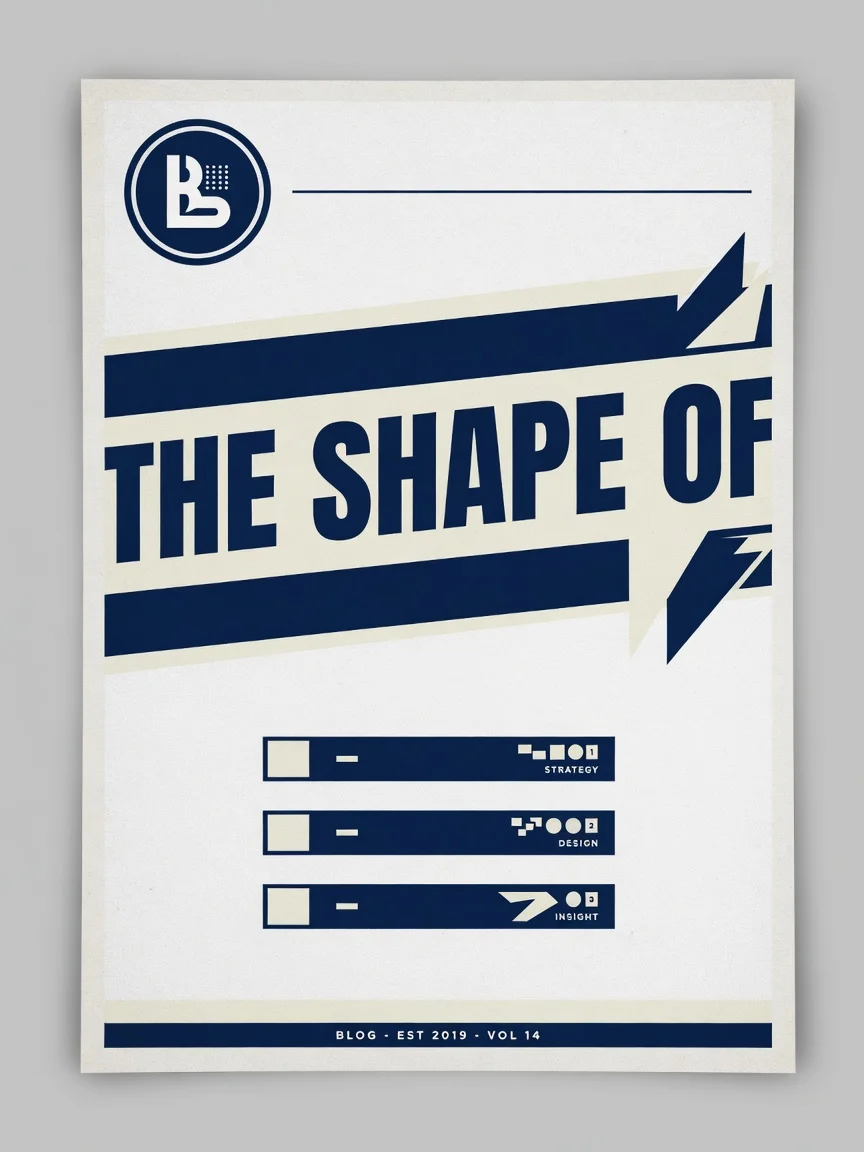
Layout-density sample for prompt 3. Prefer Pro when small type must stay usable at phone size — re-run the exact prompt on both generators and compare legibility yourself.
Evaluation checklist
- Prompt adherence: Did every required element land (crop, monogram, bullet count)?
- Text usability: Are letters legible at phone size, or only decorative noise?
- Edit survivability: After one local change, is it still the same product?
- Pipeline fit: Moodboard only, or hand to a designer as-is?
Three clicks (no API setup)
- Open Nano Banana 2 Lite and burn the kit at 1K.
- Open Nano Banana Pro and re-run the keepers.
- Save both sets in your library — the library is the decision tool, not a chat screenshot.
Decision rule (one screen)
| Your situation | Start here | Then | | --- | --- | --- | | You need many directions in minutes | 2 Lite | Promote the winner to Pro | | The still is a SKU, ad, or poster | Pro | Iterate with references, not random re-seeds | | You only need a 1K thumbnail or layout sketch | 2 Lite | Stop if the file never leaves the draft deck | | The brief needs live / search-style context | Pro (or Nano Banana 2) | Confirm grounding exists on the surface you use — not 2 Lite per Google’s matrix | | You have one serious export today | Pro | Run the real deliverable prompt first |
FAQ
Is Nano Banana Pro just a higher-resolution Nano Banana 2 Lite?
No. Google’s docs separate them by role: 2 Lite is the velocity SKU with a 1K-only resolution note and weaker multi-ref / multi-turn story; Pro is the premium complex-task engine (image generation, Pro card).
What are the official model IDs?
- Pro:
gemini-3-pro-image(Pro card) - 2 Lite:
gemini-3.1-flash-lite-image(June 30 post)
When did each ship?
Pro’s public intro is November 20, 2025 (Google Blog). 2 Lite’s GA messaging is June 30, 2026 (Cloud Blog). Host “available from” dates can lag first-party announcements.
Can 2 Lite do 2K or 4K?
On the Gemini API documentation path described for Gemini 3.1 Flash Lite Image, output is 1K only (image generation guide). SupaImagine’s 2 Lite page is built as a fixed 1K draft lane — match expectations to that product fact.
Does 2 Lite support Google Search grounding?
Official feature notes say Grounding with Google Search is not supported on the Flash Lite Image model (image generation docs). Use Pro or Nano Banana 2 when that capability matters and the host enables it.
Where does Nano Banana 2 fit?
Nano Banana 2 is the Flash generalist — Google calls it the versatile workhorse with stronger multi-reference and 4K story than 2 Lite (docs). Open the Nano Banana 2 page when you need that middle lane; this article’s binary is draft Lite vs finish Pro.
Should I still use classic Nano Banana?
Google recommends transitioning legacy Nano Banana (gemini-2.5-flash-image) customers toward 2 Lite for quality, speed, and cost on the API story (docs). SupaImagine still offers the classic Nano Banana page for simple prompt edits — just do not confuse it with Pro.
Which should I use for e-commerce product photos?
Start on Pro if the image might ship. Use 2 Lite only while you are still choosing lighting and composition. Promote the winner with the same prompt on Pro.
Can I A/B both without leaving SupaImagine?
Yes. Run the prompt kit on 2 Lite, then on Pro, and keep both outputs. That loop beats another abstract comparison chart.
Do I need both models long term?
If you mix exploration and shippable marketing stills, yes — same nickname family, different jobs. If you only ever need one polished export a week, Pro alone is usually enough.
Where should I start right now?
Open Pro, run the product-hero prompt above, then decide whether a higher-resolution re-run earns a keep. One real loop teaches more than another nickname debate.